How to Fix Uneven Sound Levels in Videos and Audio Files
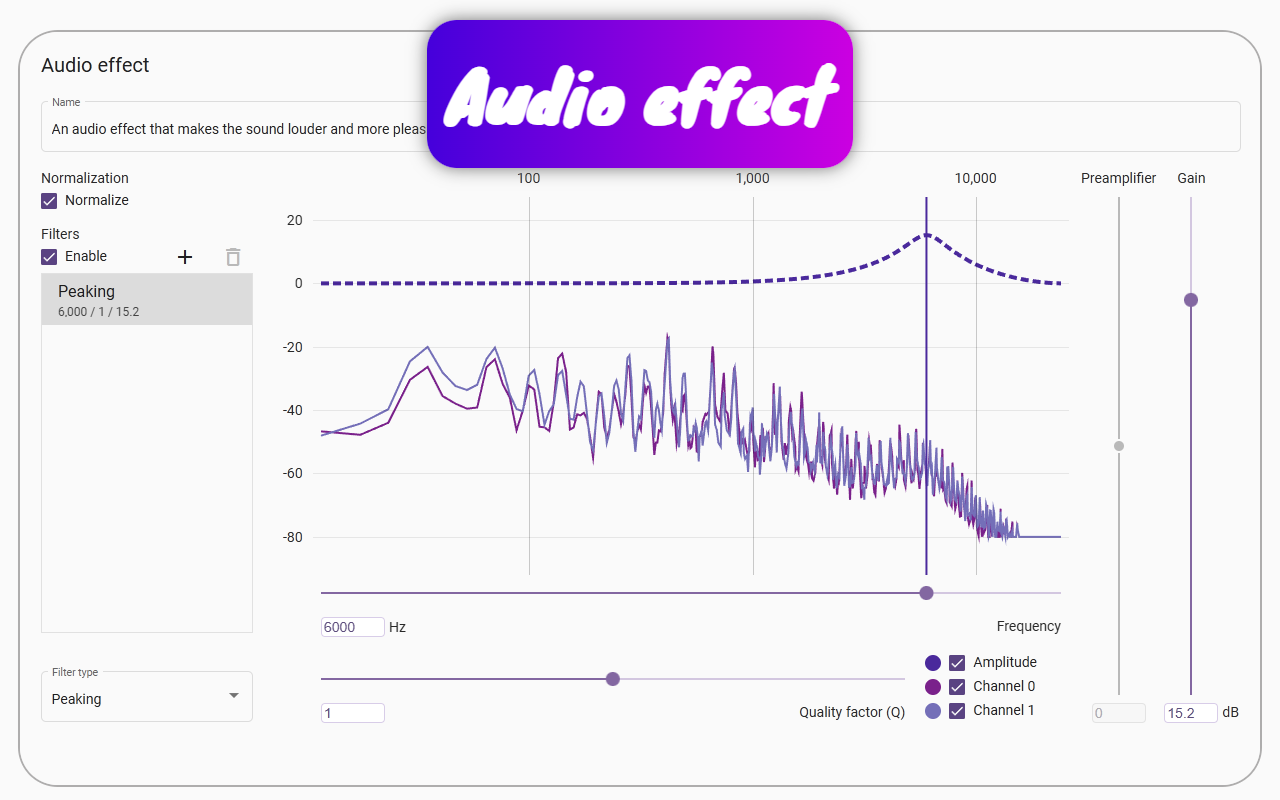
Audio and video sources are often poorly adapted for listening. Human speech can be muffled or unclear due to obstacles. Movies intentionally include sharp changes in volume for artistic effect, forcing listeners to frequently adjust the volume. Animals like cats and foxes make sounds we’d like to hear, but they’re often too quiet.
This problem can be solved through audio normalization. Normalizing sound means you won’t need to constantly adjust the volume while watching movies. Speech will become clearer, and previously inaudible animal sounds will become perceptible.
MP3 audio files (and some other formats that can simply be renamed to .mp3) can be played directly in the Chrome browser by dragging and dropping the file into the window. This allows the use of browser extensions like Page context for audio normalization.
The same can be done for video files. Drag an MP4 file into the browser, and you can use extensions to process it. If your file isn’t in a compatible format, you can use the open-source tool FFmpeg. A single command:
ffmpeg -i "your file" -vcodec copy -acodec aac -strict -2 "your file.output.mp4"
will create a browser-compatible version.
Once the file is playing in the browser, open the Page context extension pop-up and create a sound effect. Enable the normalization function within the sound effect settings to balance the audio.
As a result, the audio will strive for a consistent volume level, eliminating the need for manual adjustments.
Many sounds have specific characteristics. For example, percussive sounds like knocks or strikes start with high frequencies and transition to low ones. Humans perceive low frequencies poorly, making them "ballast" if you want to normalize audio effectively. Since low frequencies create high amplitude that is barely audible, and normalization cannot exceed the amplitude limit, these frequencies limit how much quieter sounds can be amplified. High and low frequencies share the same data space; if low frequencies use most of the amplitude range, there’s little room to boost quiet sounds.
To remove this low-frequency "ballast," you can apply a high-pass filter using the Page context extension. This reduces the amplitude of lower frequencies, allowing other sounds to be amplified more effectively.
A video demonstration (1:44) is available to show how this is done.