Is there a way to set a specific time to watch in YouTube?
There are two solutions provided by YouTube:
- Leave a comment with a timestamp.
- Create a clip.
And both of these methods force you to make sacrifices.
Unique problems with timestamp comments:
- You may find that the recommendations on your homepage change, even though you don't want them to, all because of a timestamp comment you left.
- Users might think you are talking to them and try to reply, causing YouTube to distract you with notifications for meaningless user replies.
- If you leave a comment, the entire internet can see it, and anyone who gains access to your YouTube account can find out where your comment was and who posted it.
- The timestamp comment will constantly shift downward as it sits in the general comment queue under the video.
- If you want to change the timestamp, you'll have to scroll through comments from the bottom of the video, even though the important moment is in the video, forcing you to switch back and forth and search for the comment every time.
- To check the accuracy of the timestamp, you have to click on it, but this will scroll you up to the video and start playback, making it hard to verify the exact moment.
Common problems with both timestamp comments and creating clips:
- Any method of leaving timestamp information gives that information to YouTube itself, which it could use against you.
- YouTube can remove this feature. It removed the dislike counter, subscription grouping into collections, and YouTube Trends. With such a history of removing features, it's hard to trust YouTube's commitment to features that help you store notes important to you.
- Difference in value and control. For YouTube, a timestamp is just another data entry. No matter how important a moment in a video is to you, no matter how much time you spent finding it, there's probably not a single person at YouTube who cares about your desire in this case. And given that it's important to you, but you don't control the feature, this fact leads to potential risks for the preservation of that moment.
- Compliance with Terms of Service. YouTube can delete your account and ban your access due to some rule in their Terms of Service. You have to constantly keep their Terms of Service in mind just to use their site. These terms can change in ways unsuitable for you, potentially leading to non-compliance and blocking your access to your clips.
- Technical absurdity. Imagine using a bazooka to shoot a mosquito and almost never hitting it. Now, suppose the feature is implemented via a browser extension, not by YouTube. This would imply:
- Independence from YouTube. To watch clips, you don't need a YouTube account, and the timestamp mechanism isn't tied to YouTube at all.
- Long-term data storage. Technically, timestamp information is very small, and you could store it yourself, even if you created timestamps your entire life.
- Vastly broader application. You could use the timestamp function on almost any website, not limited to YouTube. You could even use it for local files you can open in the browser.
- Protection from YouTube. If YouTube does something against you and deletes your account, you can always find that timestamp because YouTube has no access to your computer.
- Reusability. You could even download the video and then use the same timestamp for the downloaded file, simply by copying it as plain text.
- Audio support. It doesn't matter to the extension if it's video or audio; you can use timestamps equally.
All of the above follows solely from the fact that timestamps work via an extension.
Such an extension already exists, and it's Page context.
Page context is a tool specialized for this very problem, so it has more advanced features that are hard to anticipate in advance.
For example, imagine you use a timestamp as usual, but with one click it turns into a time range that can be used as a playlist element.
Recall that YouTube playlists don't show their total duration, and we can't see this information without installing browser extensions. Here, you immediately have the ability to know the duration, both of a playlist and of a time range.
How to add a timestamp in Page context:
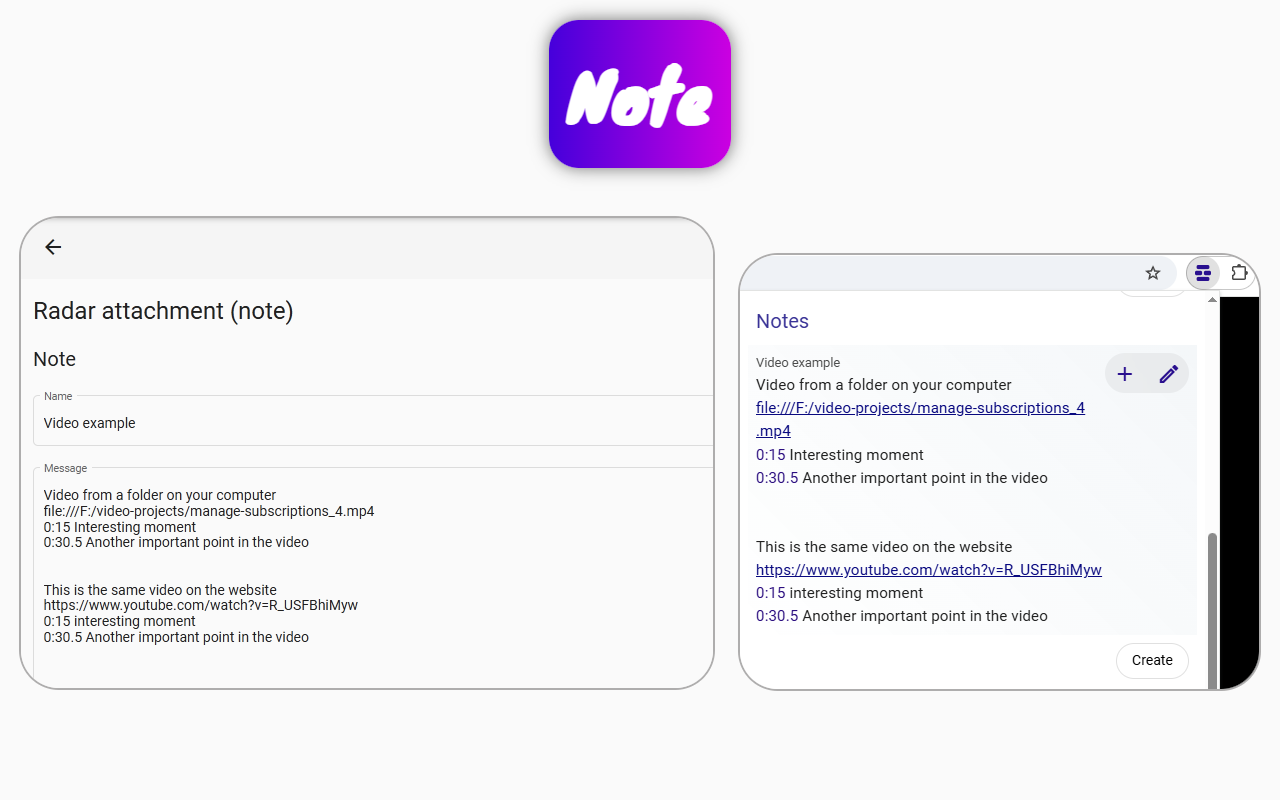
- In the Page context extension popup (near the browser's address bar), click the "Create" button in the "Notes" section.
- In the window that opens, click the "Add Time range" button.
- Click "Save".
That's it, the timestamp is ready. Now you'll see it in the popup when you're on that video page.